


Blog

Automated API
Security Testing for Mobile Backends
Your mobile apps talk to backend APIs that handle
credentials, personal data, and payment information. Djini's HTTP
Djini already automates security testing of the mobile client on both Android and iOS. The HTTP Traffic Audit extends that coverage to the backend APIs those apps depend on.
Here’s how the backend API audit works once your app is uploaded:
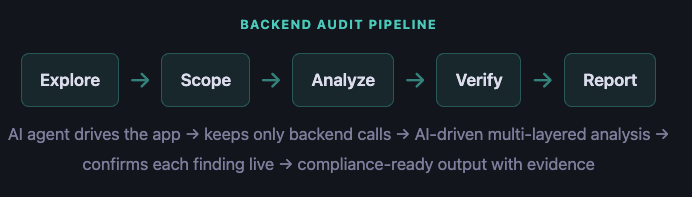
An AI agent explores your app like a human tester would, while automatically capturing and analyzing every API call it makes. Multiple analysis layers work together to find configuration issues, injection vulnerabilities, data exposure, and business logic flaws. Every finding is verified against the live target before it’s reported, reducing false positives before they reach your team.
Once individual findings are in, Djini goes one step further: it automatically correlates results across all sources (static analysis, native binary analysis, and backend traffic) to identify attack chains where multiple vulnerabilities combine into a more severe exploit than any single finding alone. A medium-severity open redirect and a medium-severity JavaScript bridge might look manageable on their own. Chained together, they become a critical data exfiltration path.
Same pipeline. Same output. Android and iOS. No separate toolchains, no manual interception, no coverage gaps.
We uploaded the APK and provided test credentials (bob@company.com / password123) so the AI agent can log in and explore authenticated features.
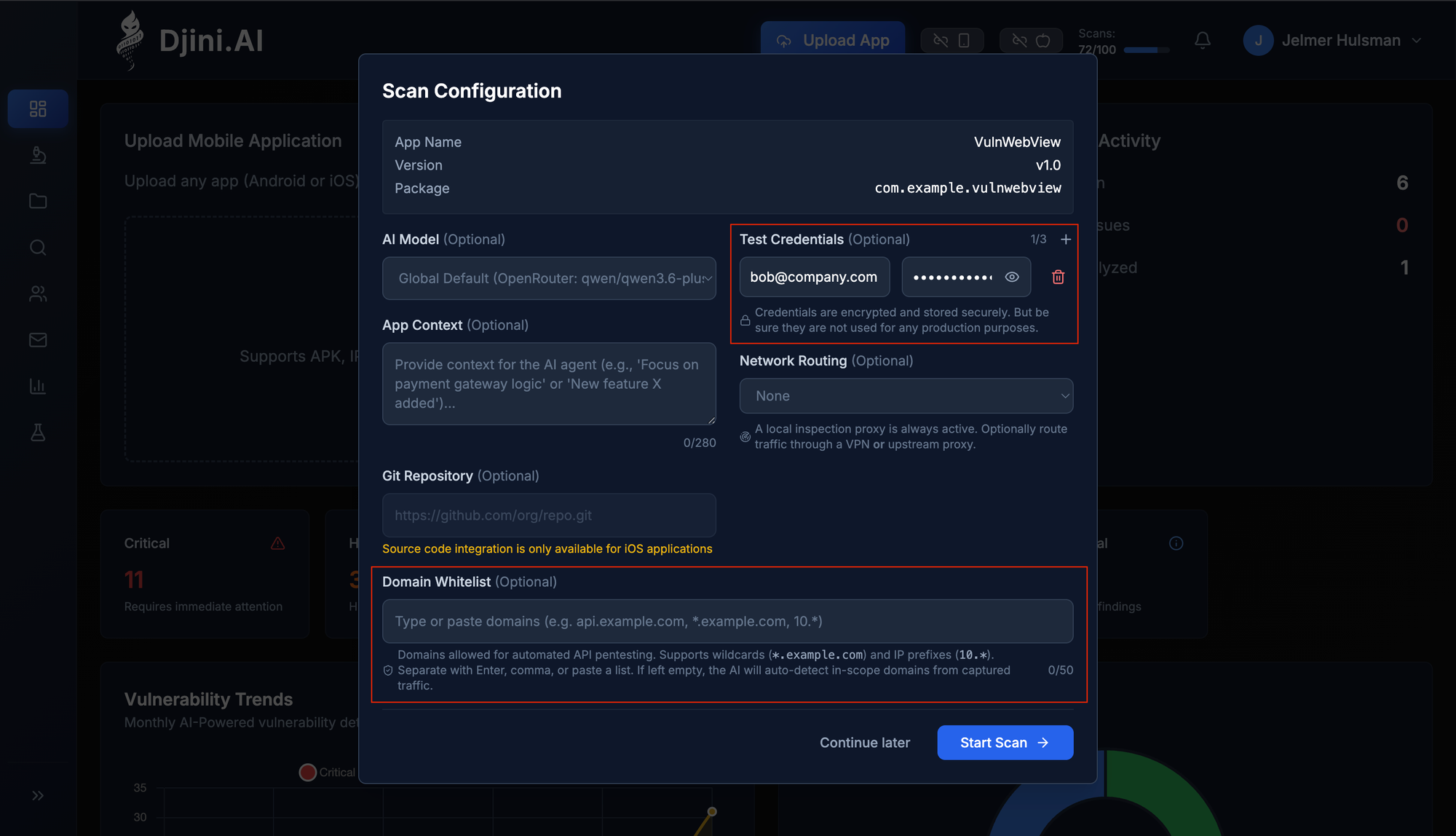
Scan configuration: upload the APK, provide test credentials, and optionally set a domain whitelist.
Note: You can also manually override the automated domain whitelist during scan configuration. This is useful when you have a known and very strict scope for API testing — for example, limiting the audit to only your production API domain. The whitelist supports exact domains (api.example.com), subdomain wildcards (*.example.com), and IP prefixes (10.*). If left empty, Djini’s AI will auto-detect in-scope domains from captured traffic.
Before exploration begins, Djini automatically bypasses common security controls that would otherwise block testing: root/jailbreak detection and SSL certificate pinning. This ensures the AI agent can interact with the app and capture all traffic, even for apps that actively resist inspection.
The AI agent then launched the app and started exploring: navigating the home screen, tapping into Profile, Search, Notifications, and Settings. It filled in search fields, followed links, and triggered the notification redirect flow, generating real API traffic across every endpoint the app exposes.
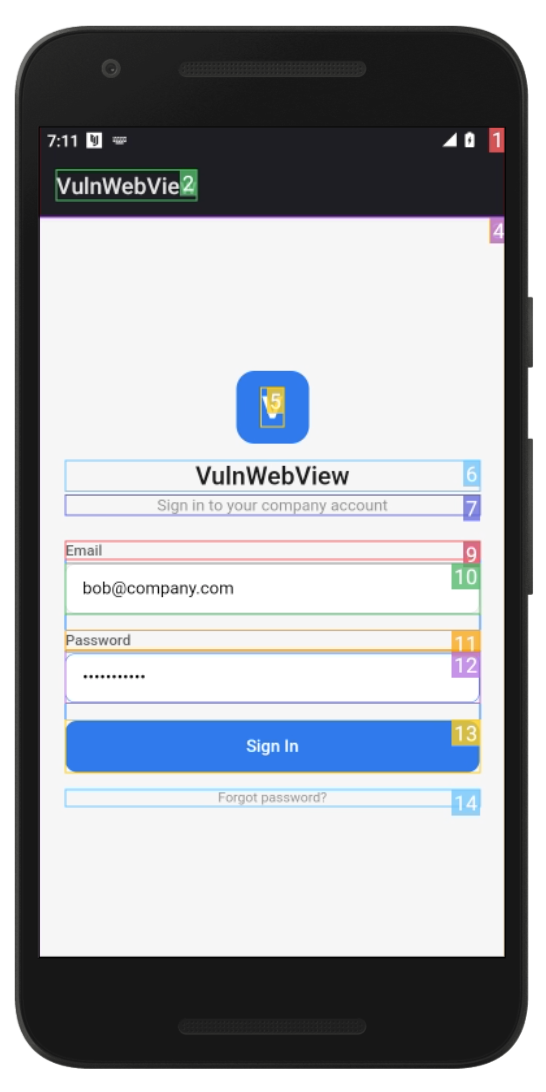
The AI agent autonomously explores every screen, fills forms, and triggers API calls.
The static analysis of the mobile client already identified two issues: a deep link handler that loads arbitrary URLs into the WebView, and a JavaScript bridge that exposes the session token to any page loaded in that WebView. Both are real vulnerabilities, but on their own they require an attacker to somehow get a malicious page loaded inside the app.
The HTTP Traffic Audit found the missing piece. By capturing and analyzing the actual API traffic between the app and its backend, Djini discovered an open redirect in the notification handler:
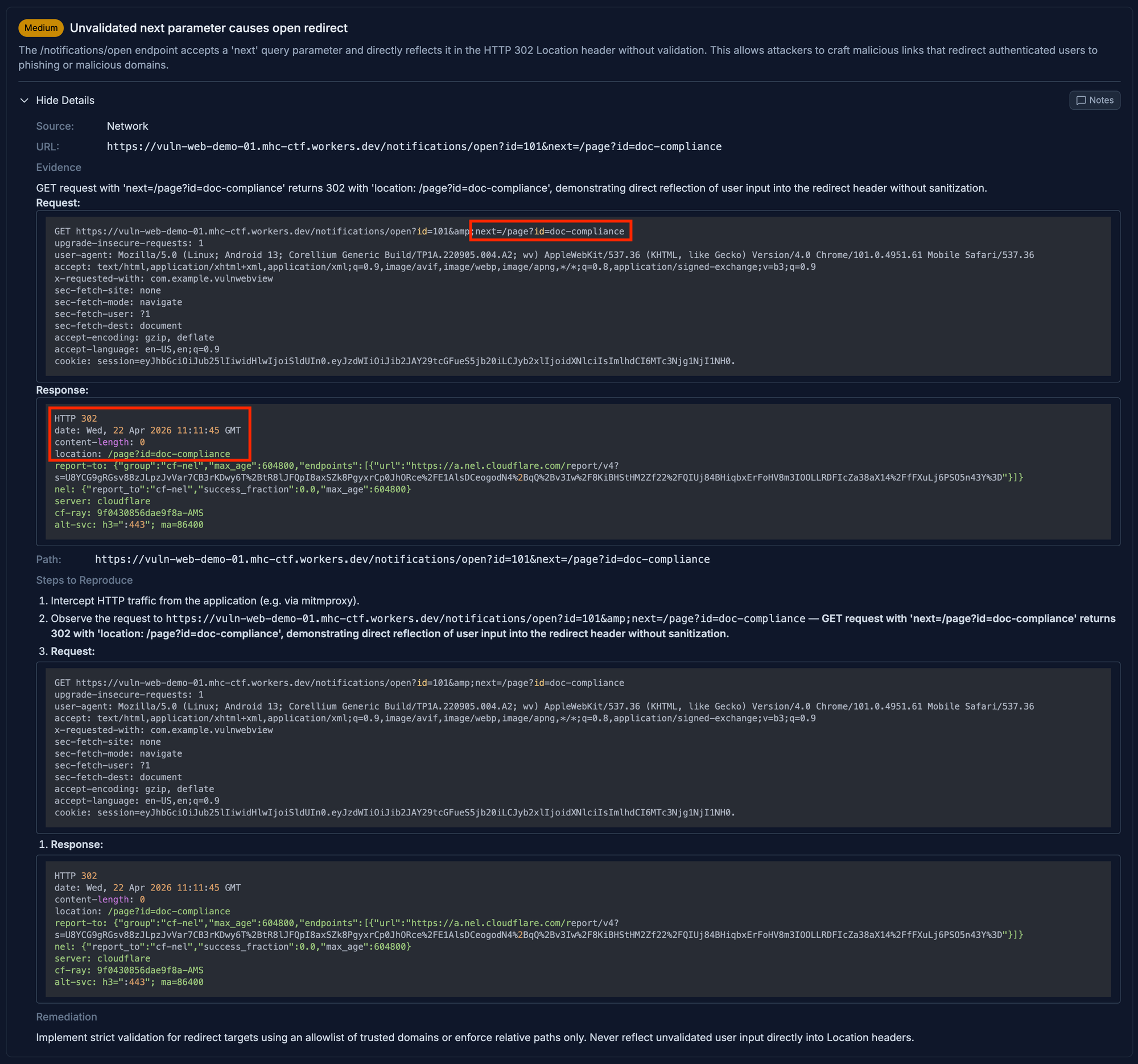
INFRA-579: Unvalidated next parameter causes open redirect — discovered through backend traffic analysis.
Unvalidated next parameter causes open redirect. The backend’s /notifications/open endpoint accepts a next query parameter and reflects it directly in the HTTP 302 Location header without validation. The AI agent navigated into the notification detail page, tapped “View attachment,” and the resulting 302 redirect was captured by the proxy. The analysis engine flagged the unvalidated parameter with full request/response evidence.
This is the kind of finding that only surfaces when you test the backend traffic. Static analysis of the mobile client can’t see it because the redirect logic lives on the server. Manual API testing might miss it because it’s buried two levels deep in the notification flow. But the AI agent explored the app thoroughly enough to trigger it, and the traffic analysis caught it.
For reference, here are the two client-side findings that the static analysis identified:

SAST-1395: Arbitrary URL Loading via Deep Link — the entry point that loads attacker-controlled URLs into the WebView.

SAST-1402: Session Token Exposure via JavaScript Bridge — the bridge that leaks the auth token to any page in the WebView.
A deep link handler rated High. An open redirect found in backend traffic. A JavaScript bridge rated Medium. Individually, none of these would top a security backlog. But Djini doesn’t stop at individual findings. It automatically correlates results across static analysis and backend traffic to identify how they connect:
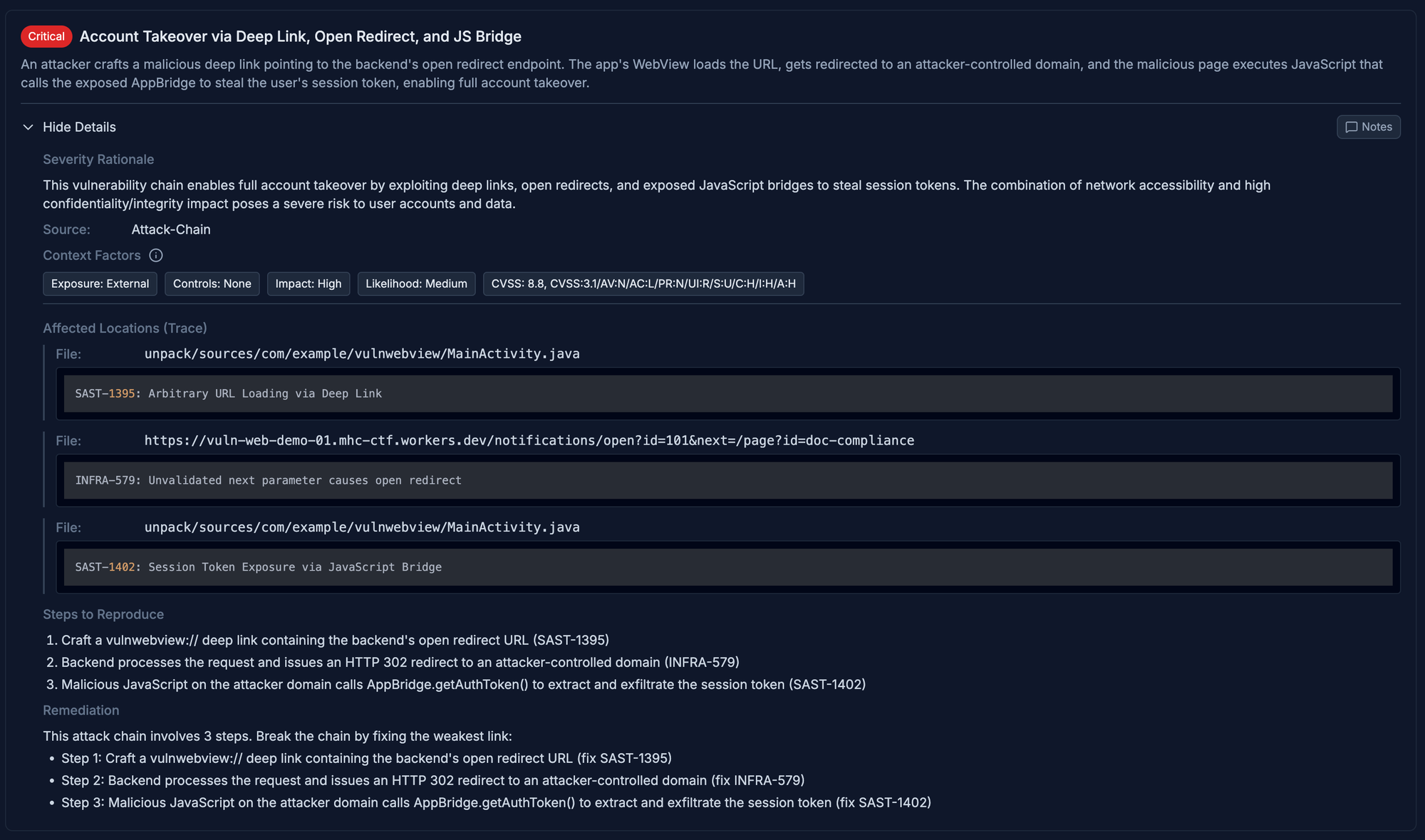
Djini automatically chains three findings into a Critical account takeover path (CVSS 8.8).
Critical — Account Takeover via Deep Link, Open Redirect, and JS Bridge
The open redirect is the bridge that turns two client-side issues into a full exploit:
1. Attacker crafts a vulnwebview:// deep link containing the backend’s open redirect URL
2. Backend processes the request and issues an HTTP 302 redirect to an attacker-controlled domain
3. Malicious JavaScript on the attacker domain calls AppBridge.getAuthToken() to extract and exfiltrate the session token, enabling full account takeover
Without the backend audit, the deep link and JavaScript bridge findings would remain isolated. The open redirect is what connects them into an exploitable path. Three separate findings, two different analysis layers, one exploit chain. This is exactly the kind of vulnerability that falls between the cracks when mobile client testing and API testing are done separately.
Very interesting bug chain, especially the escalation process by using AppLink as a bridge between the browser and the app…