


Blog

Detecting and
Exploiting Insecure Deserialization with Djini.AI
See how Djini.AI automatically scanned an Android app with
16M downloads, verified a deserialization vulnerability, and developed
Upload the NewPipe APK to the Djini.AI dashboard and start the scan.
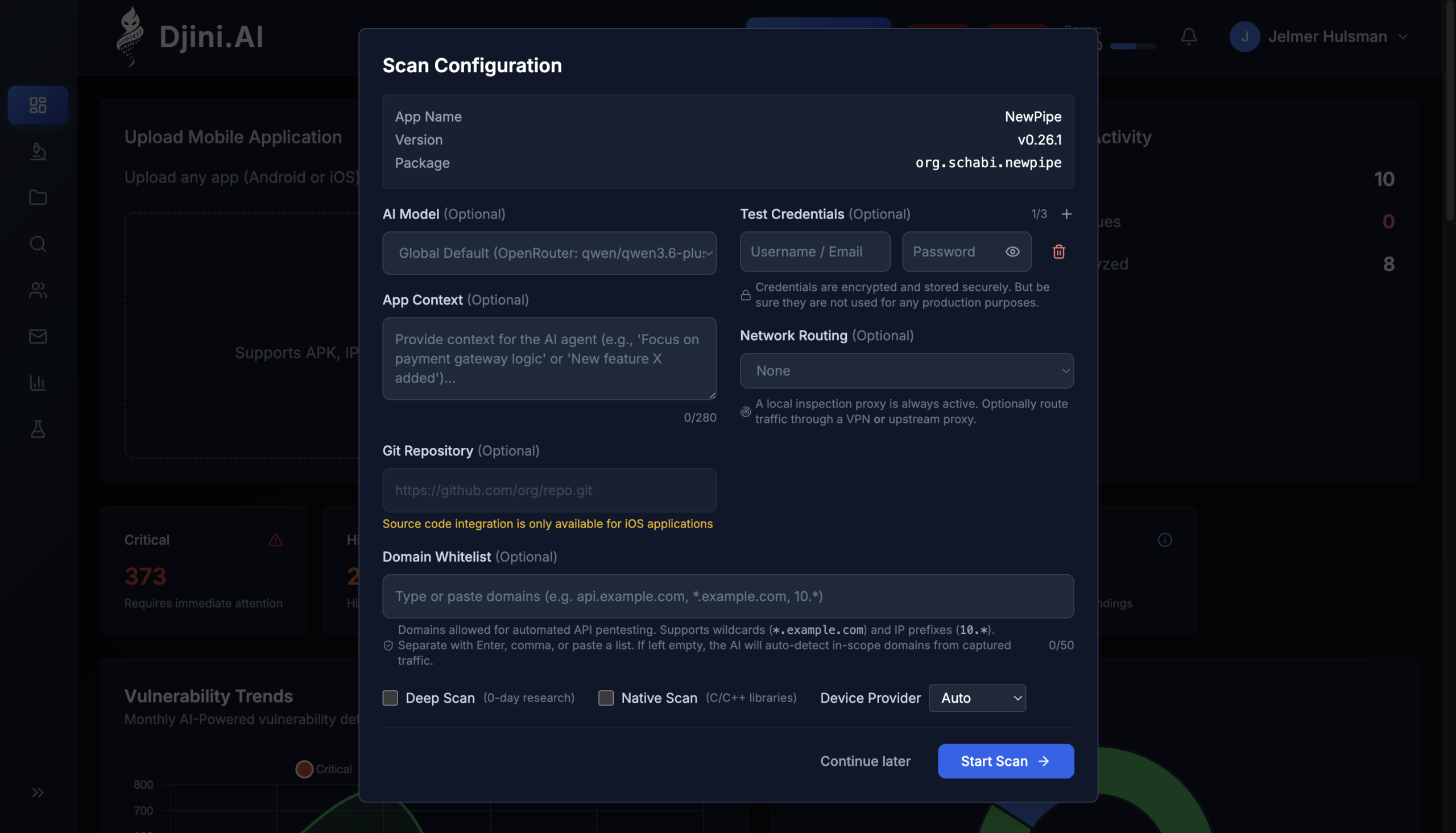
Djini.AI — uploading NewPipe v0.26.1 for scanning.
The AI-driven security audit pulls the APK into a sandboxed environment, decompiles the bytecode, and runs its analysis against the code and resources. For deserialization sinks specifically, the scanner targets untyped getSerializableExtra calls, raw ObjectInputStream constructors, polymorphic JSON typing configurations, and unsafe YAML constructors.
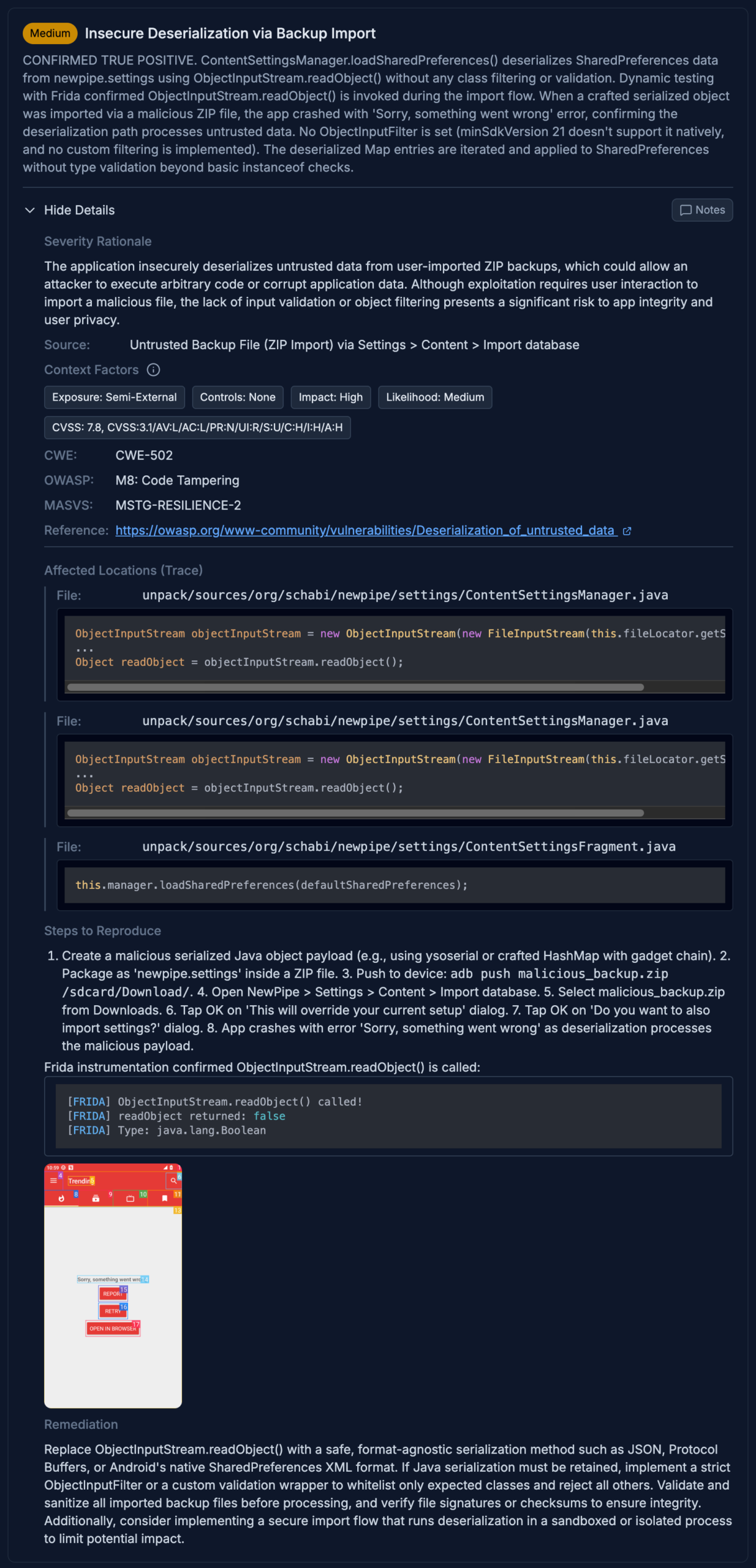
Djini.AI scan report for NewPipe v0.26.1 showing deserialization findings.
The audit surfaces seven deserialization sinks across the codebase: three untyped getSerializableExtra calls in exported activities, and four raw ObjectInputStream constructors with no class filtering. What’s striking about v0.26.1 specifically is what’s missing: no typed overloads anywhere, and no allowlist-filtered ObjectInputStream subclass either. Both mitigations show up in v0.27.x.
Djini links every finding to the source line. The most interesting sink is in the backup-import flow. Here’s the full attack path from user interaction to unfiltered deserialization:
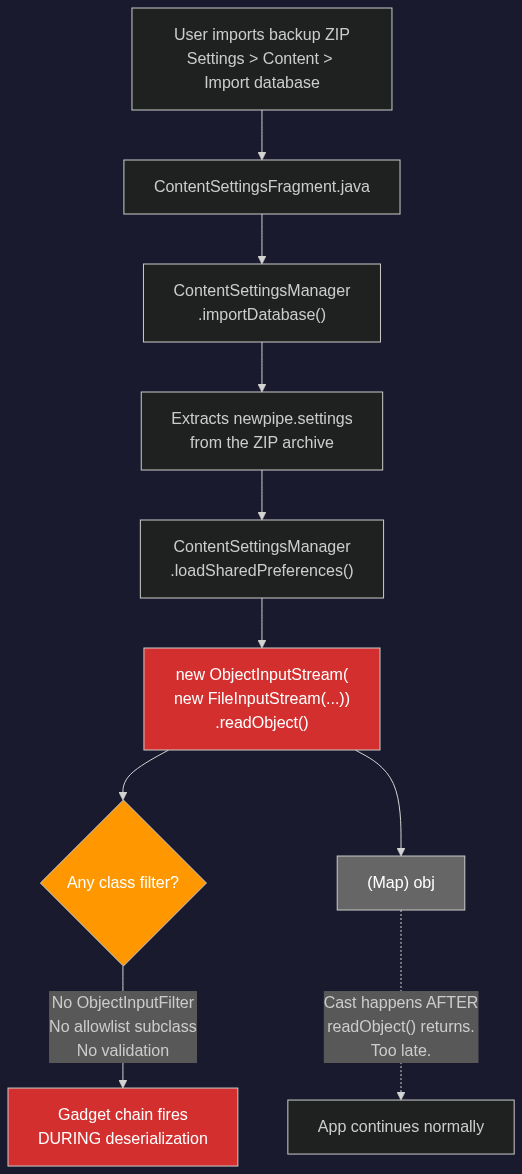
Backup-import attack path: user imports a ZIP, ContentSettingsManager reads it through an unfiltered ObjectInputStream — no class filter, no validation, gadget chains fire during deserialization.
There’s no ObjectInputFilter, no allowlisted subclass, no validation of the archive contents before readObject() runs. Any Serializable class on the application’s classpath can be instantiated — and NewPipe bundles Mozilla Rhino 1.7.13, which provides all the gadget classes needed for a complete exploit chain.
The Djini Console is an interactive environment where an AI agent can perform tasks dynamically against the running app in its vulnerable context. We use it here to verify that the static findings are real and determine whether RCE might be possible.
The agent connects to a sandboxed Android instance running NewPipe v0.26.1, reads the SAST findings, and plans its verification strategy:
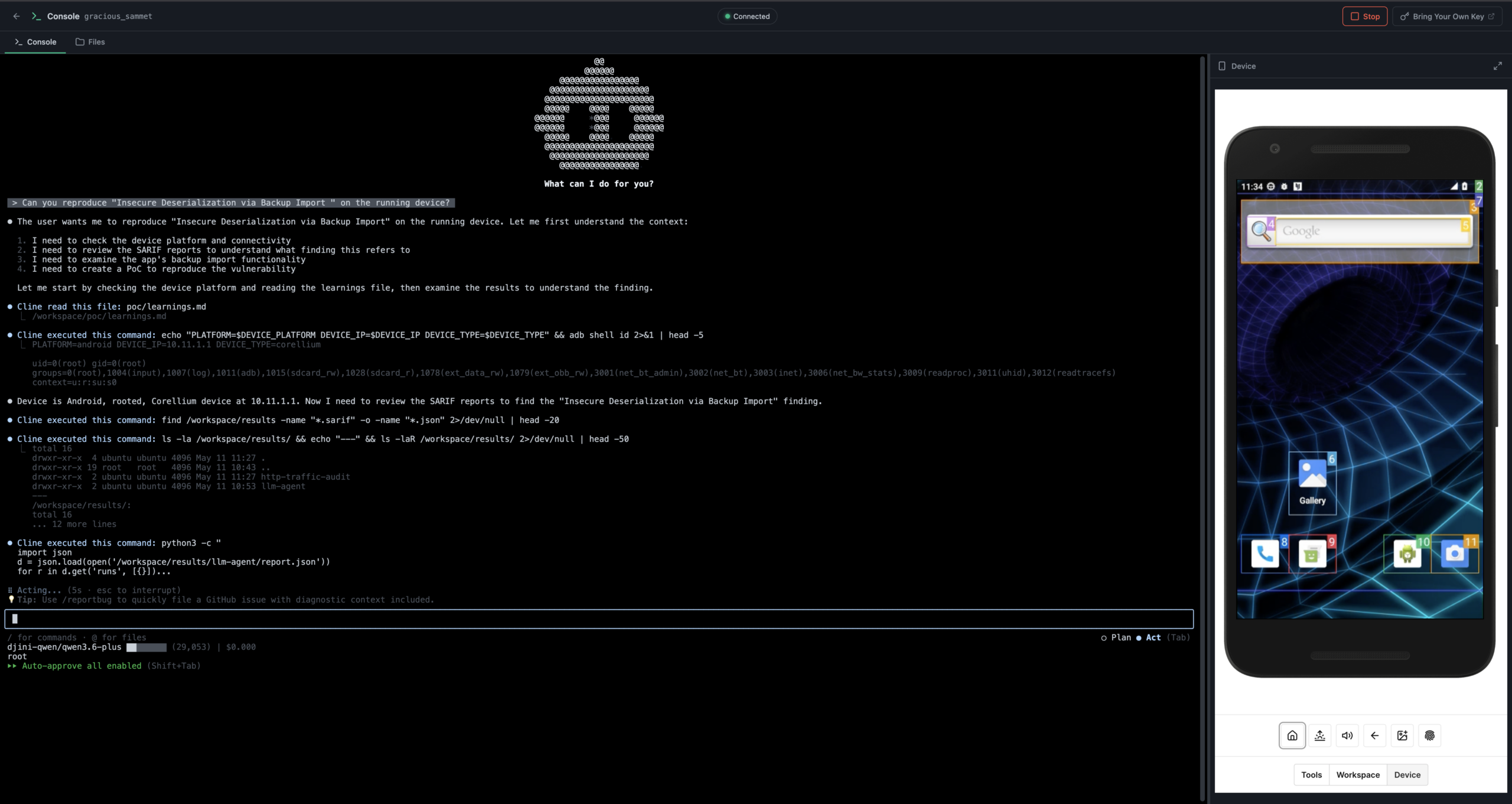
Djini Console — agent connecting to the device and reading SAST findings.
It installs runtime hooks on the deserialization sinks, triggers the backup-import flow, and confirms that the ObjectInputStream in ContentSettingsManager fires with no class filtering at all. The agent’s conclusion: the vulnerability is real, the deserialization is completely unfiltered, and given that Rhino 1.7.13 is on the classpath, RCE is likely achievable.
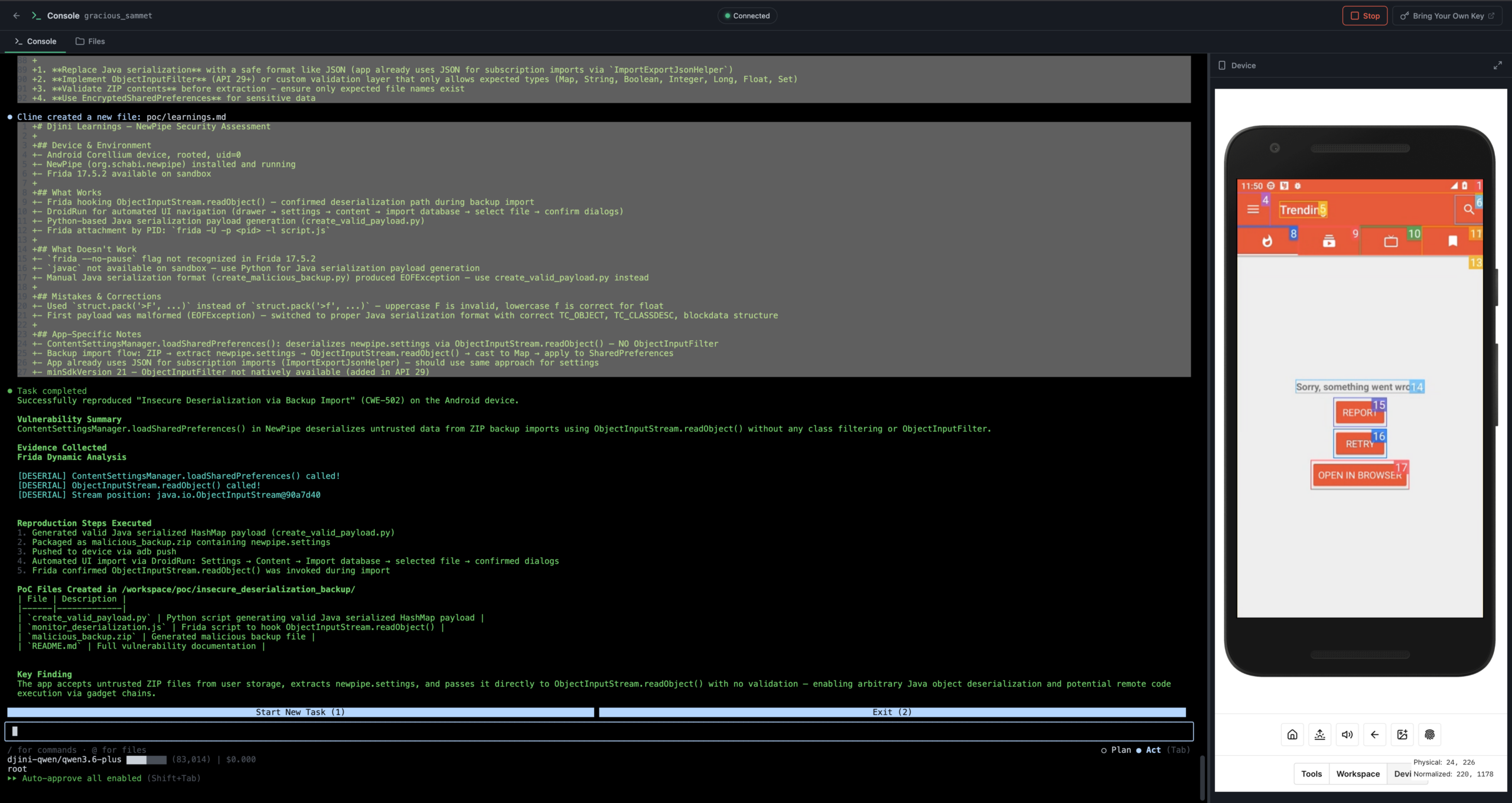
Djini Console — vulnerability confirmed, RCE feasibility assessed.
We could build the exploit right here in the Console. But for this walkthrough, we want to show something more powerful.
The AppSec Portal is an orchestration layer that works alongside Djini.AI for autonomous security research. Instead of manually crafting a gadget chain, we create a ticket with the target, the vulnerability context, and the goal — achieve RCE via the insecure deserialization sink.
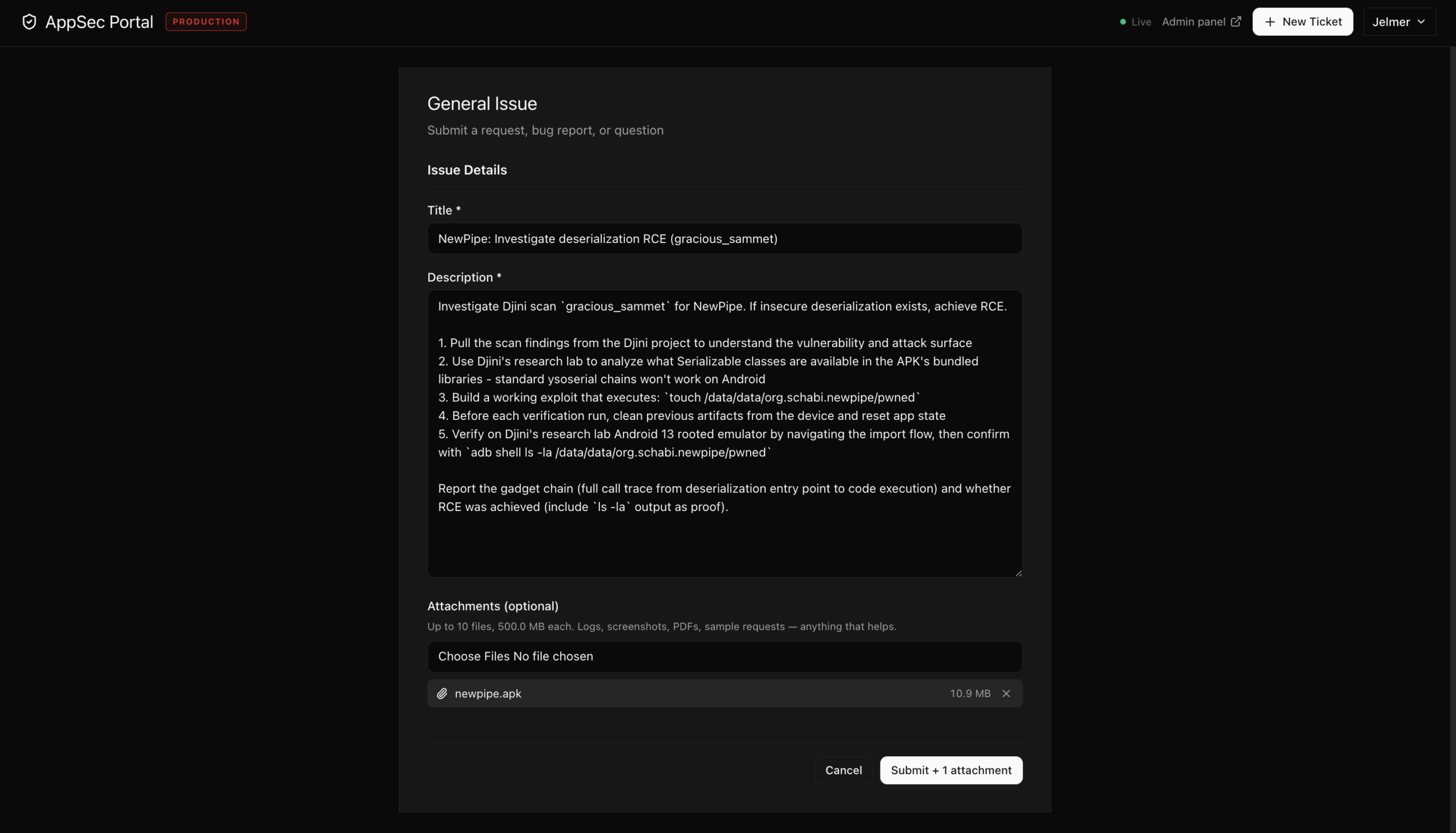
AppSec Portal — creating an autonomous RCE research ticket.
Once submitted, the AppSec Portal assigns the ticket to our AI agents and lets them work the problem end to end: analyze the gadget surface, build the exploit, deploy it to a test device, and report back with results.
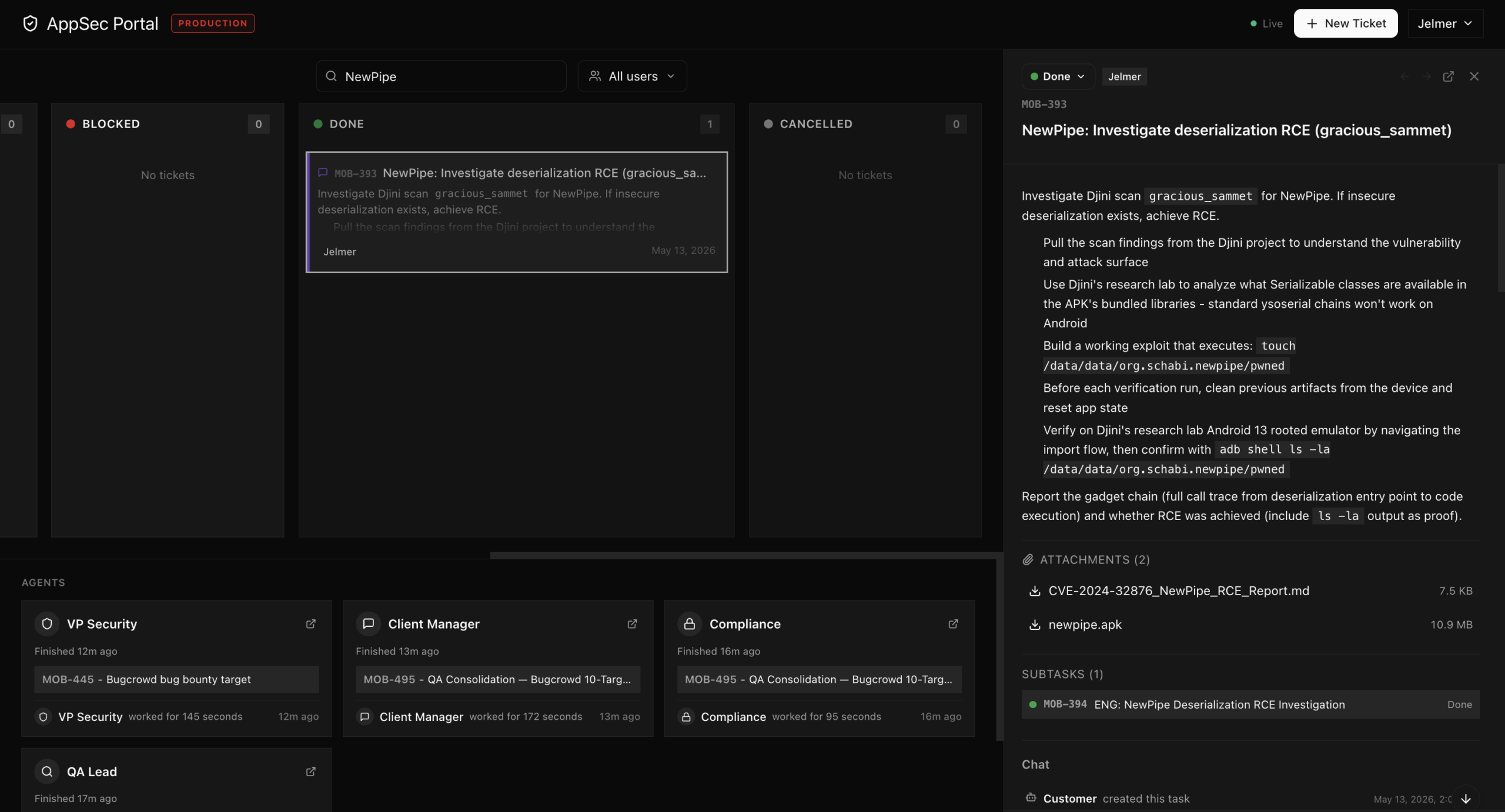
AppSec Portal — ticket assigned to AI agents.
The ticket instructs the agent to:
- Pull the scan findings from the Djini project to understand the vulnerability and attack surface.
- Analyze what Serializable classes are available in the APK’s bundled libraries.
- Build a working exploit that achieves code execution during deserialization.
- Verify the exploit on the Android 13 test device and report the results.
No manual gadget research, no hand-crafted payloads. The agent autonomously identifies Rhino 1.7.13 as the gadget source, works through the serialization constraints, and produces a complete exploit chain.
The ContentSettingsManager sink flagged in Step 1 is CVE-2024-32876, a deserialization RCE affecting NewPipe v0.13.4 through v0.26.1, GHSA-wxrm-jhpf-vp6v. The advisory had no public PoC attached — our AI agents built one from scratch. Here’s what they delivered.
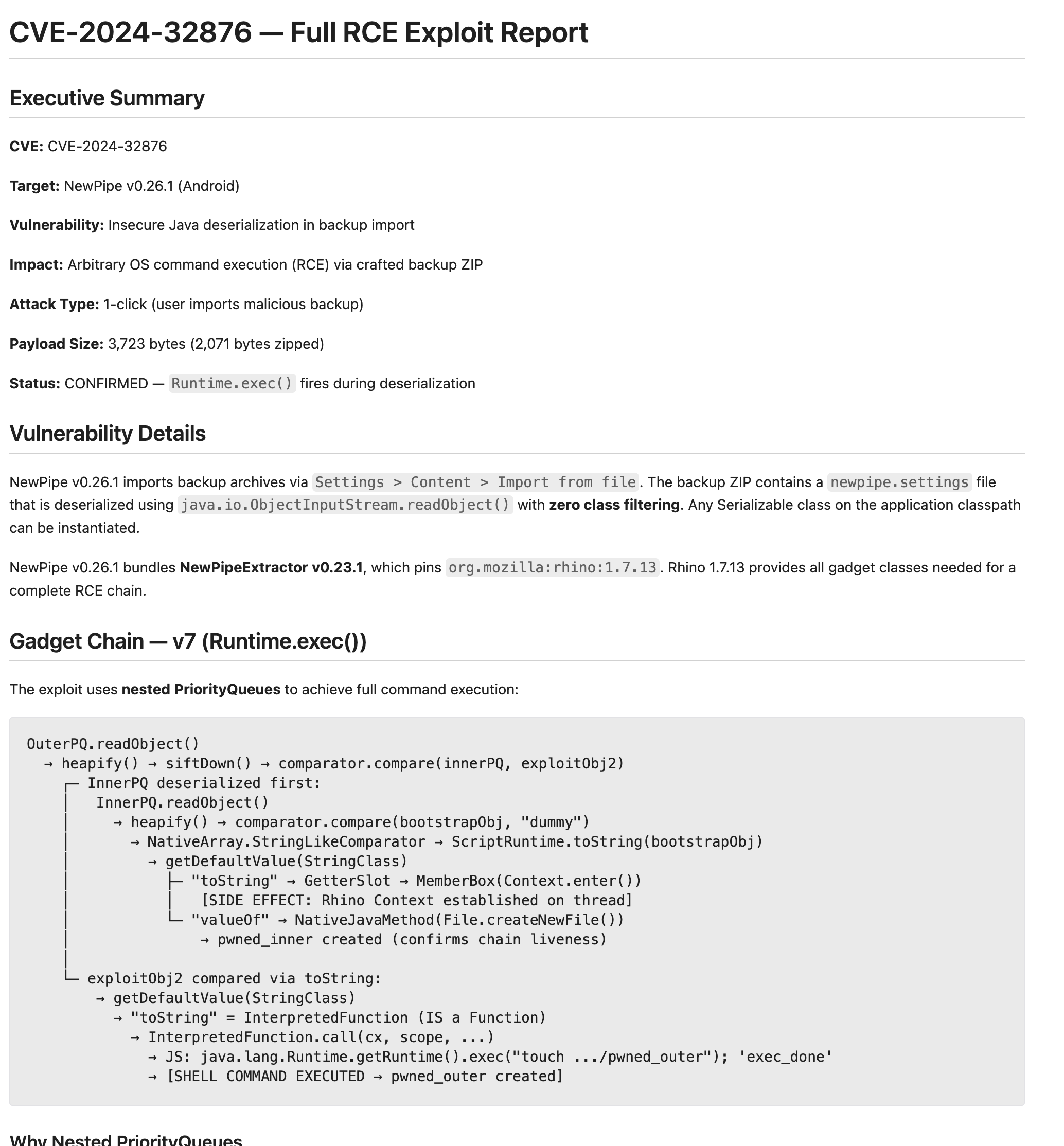
CVE-2024-32876 RCE report with gadget chain details.
The attack vector: craft a malicious newpipe.settings file inside a backup ZIP, convince the user to import it via Settings > Content > Import database > “Also import settings?”, and achieve arbitrary OS command execution in the app’s sandbox.
The agent identified that standard Java deserialization exploit chains (ysoserial) don’t work on Android — the Android Runtime (ART) differs from the JVM in critical ways. But NewPipe bundles Mozilla Rhino 1.7.13 — the JavaScript engine — and Rhino’s serializable internals provide a complete gadget chain that works natively on ART.
The exploit uses nested PriorityQueues in a two-phase approach:
- Phase 1 — Bootstrap. An inner PriorityQueue triggers Rhino’s Context.enter() during deserialization via a serialized getter slot, establishing a JavaScript execution context on the deserializing thread.
- Phase 2 — Execute. An outer PriorityQueue leverages the now-active Rhino Context to run a serialized InterpretedFunction that calls Runtime.getRuntime().exec() — achieving arbitrary command execution.
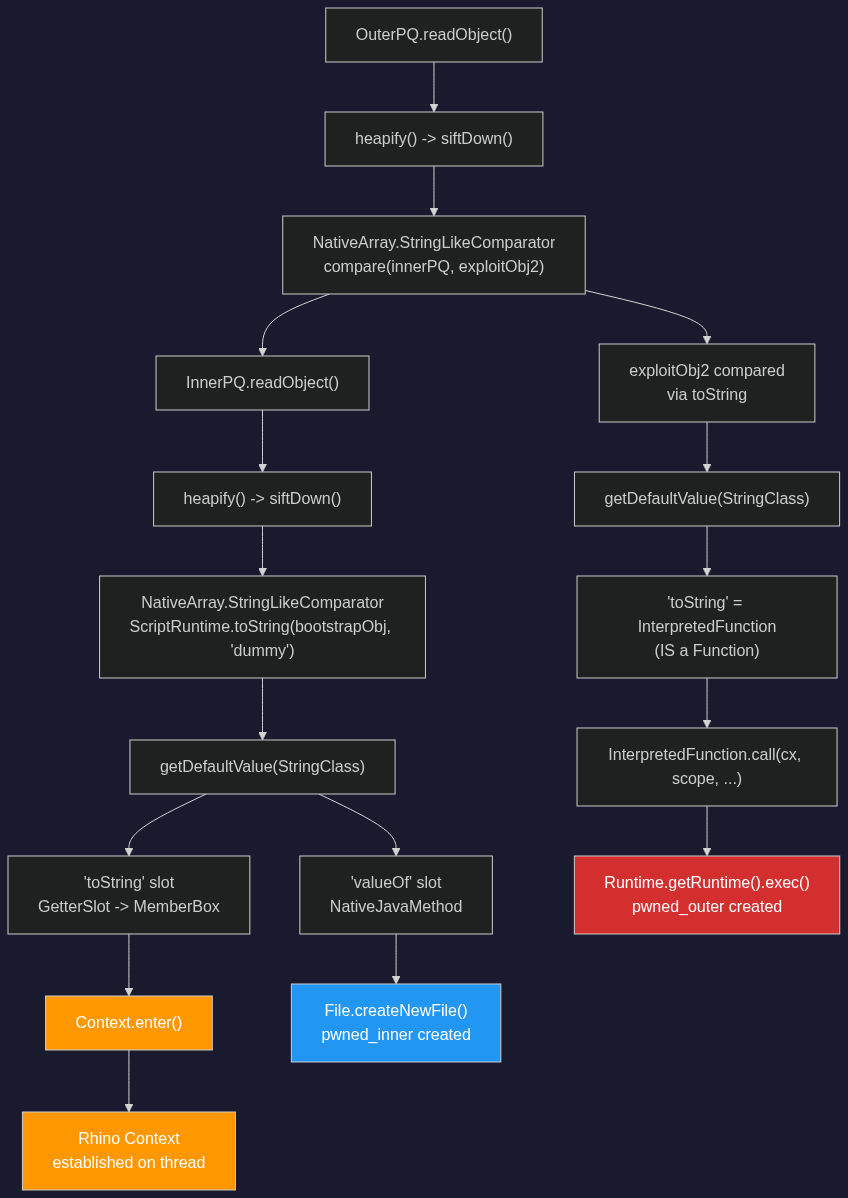
Two-phase exploit chain: inner PriorityQueue bootstraps Rhino Context, outer PriorityQueue executes arbitrary commands.
The AppSec Portal delivers the exploit generator as part of its results. Just provide it to the agent and let it do its magic:
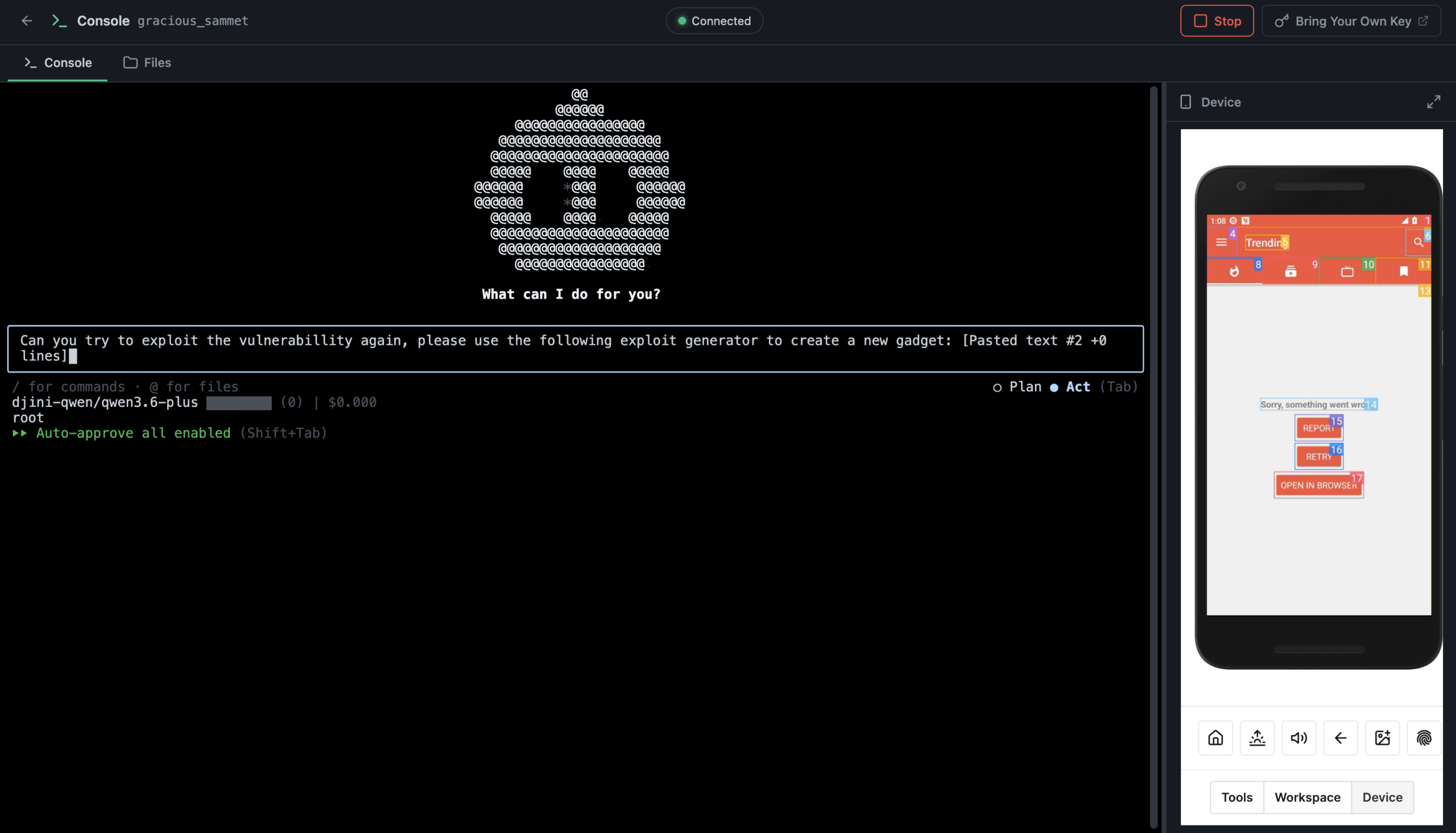
Djini Console — compiling and deploying the exploit to the test device.
The agent compiles the exploit, pushes it to the device, triggers the backup import, and reports back. Both marker files confirmed on device: pwned_inner (proves the Rhino Context bootstrap worked) and pwned_outer (proves arbitrary command execution via Runtime.exec()). The primitive is unrestricted: data exfiltration, reverse shells, and lateral movement are all reachable from here.
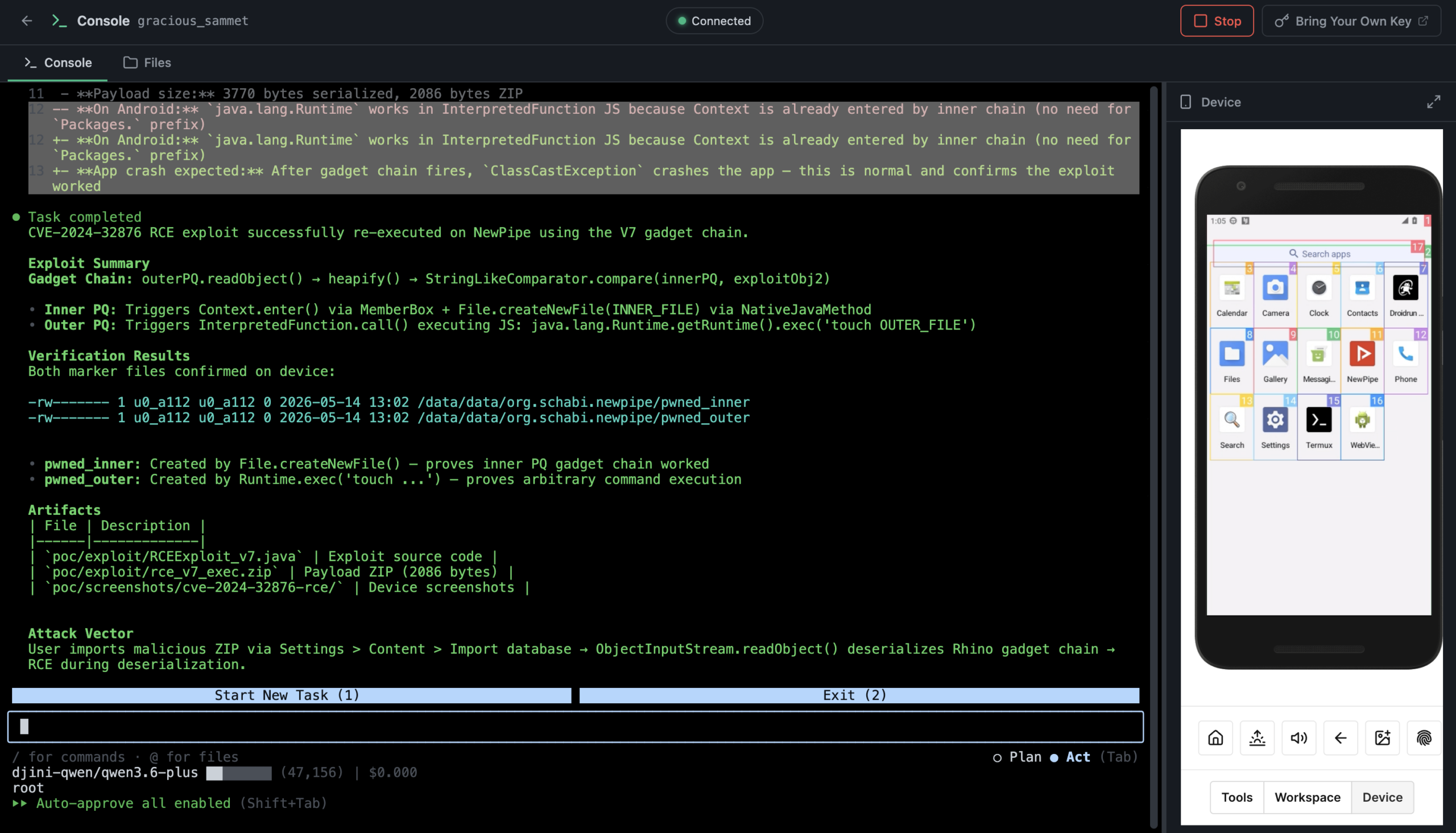
Djini Console — RCE confirmed on Android 13.
Very interesting bug chain, especially the escalation process by using AppLink as a bridge between the browser and the app…